Video Scraping API: What Data Can It Return and How Does It Work?
A video scraping API helps businesses and developers collect structured information from video-related web pages and platforms without manually opening every page and copying data. Depending on the source and the API, it can return video titles, URLs, descriptions, captions, publication dates, creator information, engagement metrics, and other metadata.
However, not every video scraping API returns the same information. Some APIs focus on video search results, while others collect metadata from individual video pages. Certain services can also deliver video or audio files, but this is a separate capability that should not be confused with metadata extraction.
Understanding these differences is important when choosing a solution for social media monitoring, competitor research, video analytics, or AI dataset preparation.
This guide explains what a video scraping API returns, how the collection process works, which data fields matter, and how to evaluate different solutions.
What Is a Video Scraping API?
A video scraping API is an interface that allows applications to retrieve video-related information from supported websites or platforms in a structured format.
Instead of manually visiting video pages, a user submits an input, such as a video URL, search query, channel URL, or other supported identifier. The API processes the request and returns the available information in a format such as JSON.
For example, a marketing team may want to monitor videos related to a particular product. A video scraping API can help collect available video information and organize the results for further analysis.
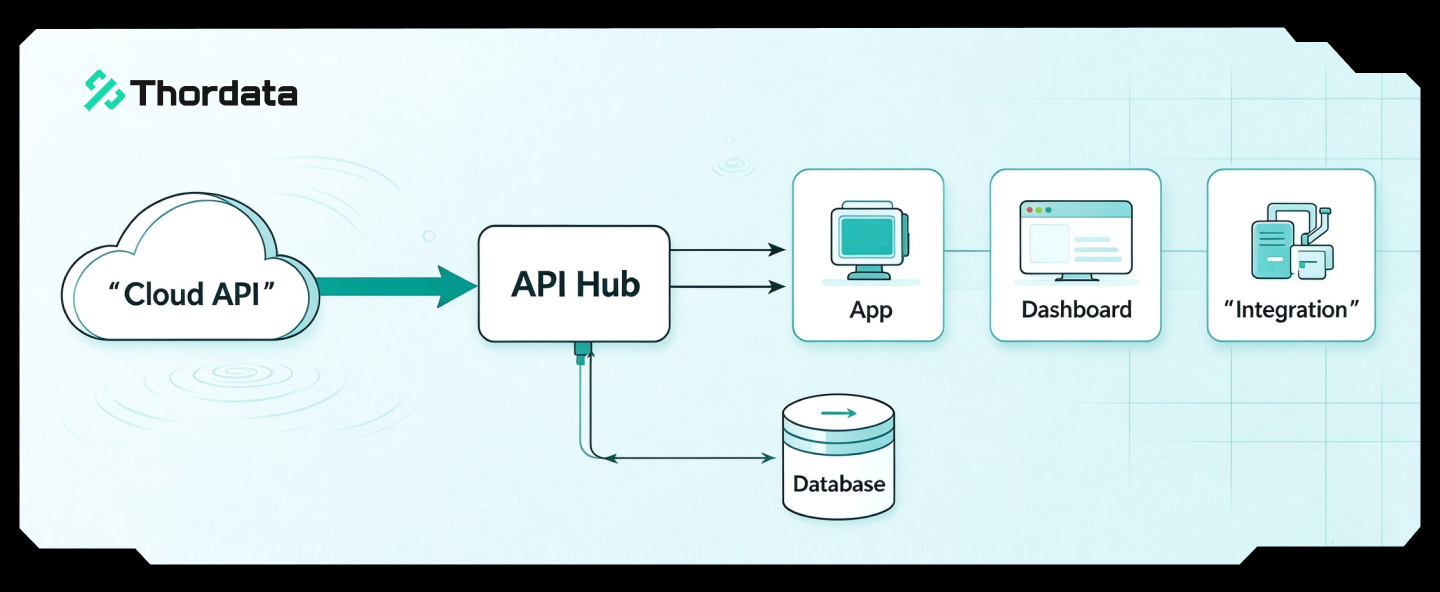
A typical workflow looks like this:
- Submit a supported input, such as a video URL or search query.
- The service retrieves information from the supported source.
- Relevant fields are extracted and organized.
- The API returns structured results.
- The application stores or processes the returned data.
The exact process and available fields depend on the provider, source platform, and collection method.
It is also important to distinguish a video scraping API from a video downloader or a search engine API. These tools may all involve video-related information, but they do not necessarily return the same output.
What Data Does a Video Scraping API Return?
The fields returned by a video scraping API depend on what it collects. Some services return search-result information, while others retrieve metadata from individual videos or provide access to media files.
The following categories are commonly relevant.
1. Basic Video Information
Basic video information helps identify and describe an individual video.
Common fields may include:
- Video ID
- Video URL
- Video title
- Description or caption
- Publication date
- Video duration
- Thumbnail URL
- Source platform
These fields are useful for building video catalogs, tracking content, and organizing records.
For example, a research team collecting videos about electric vehicles may use titles, descriptions, and publication dates to categorize content and analyze how topics change over time.
2. Creator and Channel Information
Some video collection services can return information about the account or channel associated with a video.
Depending on the platform and available access, fields may include:
- Creator ID
- Username or channel name
- Profile URL
- Channel description
- Available follower or subscriber counts
- Related public profile information
This information can help businesses understand who publishes certain types of content and compare publishing activity across creators.
However, creator-level information and video-level information should be stored separately. A creator’s profile attributes do not necessarily describe every video published by that creator.
3. Engagement Metrics
Engagement data helps users understand how audiences interact with video content.
Depending on the platform, an API may return:
- View counts
- Like counts
- Comment counts
- Share counts
- Other available engagement indicators
These fields can support social media monitoring, competitor analysis, and content performance research.
One important consideration is that engagement metrics change over time. A view count collected today may differ from the same video’s view count next week.
For trend analysis, store the collection timestamp alongside the metric. This makes it possible to compare observations from different collection periods rather than treating a single value as permanent.
4. Captions, Subtitles, and Transcripts
Some video data services can provide text associated with video content.
This may include:
- Captions
- Subtitles
- Available transcripts
- Descriptive text
- Language information, where supported
These fields can be useful for content search, topic analysis, speech-related research, and AI workflows.
However, captions and transcripts are not guaranteed for every video. Some videos have no subtitles, some provide only automatically generated captions, and others may restrict access to transcript information.
A reliable workflow should distinguish between an unavailable transcript, an empty transcript, and a collection error.
5. Video Search Result Information
A video scraping API may also return search-result information rather than metadata from the video page itself.
For example, a Google Videos result may contain:
- Video title
- Destination URL
- Source website
- Publication date
- Snippet
- Thumbnail
- Video duration
- Channel information
- Key moments, where available
This type of output is useful for discovering videos and monitoring how video content appears in search results.
It should not be confused with a complete record from the underlying video platform. A search result containing a thumbnail and a link does not mean the API has retrieved the original video file.
6. Video and Audio Files
Some video data services support the delivery of actual media files.
Depending on the product and the permitted access conditions, this may include:
- Video files
- Audio files
- Associated media information
Media delivery is different from metadata extraction. A service that returns a video URL, title, or thumbnail does not necessarily provide the original media file.
Before choosing a provider, confirm whether the output includes downloadable files, metadata only, or both. Also verify the applicable copyright, licensing, and platform requirements for storing or reusing media.
Video Metadata API vs. Video Downloader vs. Video Search API
One common source of confusion is that different tools are often described using similar terms.
However, their outputs can be quite different.
| Tool Type | Typical Input | Typical Output | Common Use Case |
|---|---|---|---|
| Video scraping API | Video URL, profile URL, or supported identifier | Video metadata and available platform fields | Social media monitoring and content analysis |
| Video search API | Search query and filters | Titles, links, snippets, thumbnails, and search-result information | Video discovery and search visibility tracking |
| Video downloader | Supported video URL | Video or audio file, where permitted | Authorized media archiving and processing |
| Video dataset provider | Dataset requirements or predefined collection | Prepared video records and potentially media files | Research and AI dataset development |
The best option depends on the information your project needs.
For example, an SEO team monitoring video search visibility may only need titles, links, and search-result positions. A social media analytics team may need video captions and engagement metrics. An AI research team may need media files, transcripts, and documented usage rights.
These are different requirements, so they should not be evaluated using the same output criteria.
How Does a Video Scraping API Work?
Although implementation details vary, most video data collection workflows follow a similar process.
Step 1: Define the Input
Start by deciding what information you want to collect.
Common input types may include:
- Individual video URLs
- Channel or creator URLs
- Search queries
- Hashtags or keywords
- Platform-specific identifiers
Not every API supports all these input types. Check the provider’s documentation before designing the workflow.
Step 2: Select the Source and Collection Parameters
Different platforms expose different types of information.
A video search request may require a keyword, region, or device setting. A video-page request may require an individual URL or platform identifier.
Define the relevant parameters before sending the request. For recurring research, keep these settings consistent so that results can be compared across collection periods.
Step 3: Retrieve and Parse the Data
The service processes the request and extracts the available fields.
A structured response may contain a video title, source URL, publication date, description, and other metadata.
For example, a hypothetical record might look like this:
| Field | Example Value |
|---|---|
| Video ID | video_001 |
| Title | Electric Vehicle Charging Guide |
| Source | Example Video Platform |
| Publication Date | 2026-10-20 |
| Duration | 08:35 |
| Caption | A guide to home charging |
| Collection Status | Successful |
These values are illustrative only, not a real API response or a documented request schema.
Step 4: Validate the Results
A successful API response does not automatically mean every returned record is complete.
Check whether:
- Required fields are present.
- Video URLs are valid.
- Dates follow a consistent format.
- Duplicate records are identified.
- Engagement metrics are stored with collection timestamps.
- Missing values are distinguished from zero values.
- Failed requests are separated from successful records.
For large projects, it is useful to measure field completeness and the percentage of records that meet the project’s requirements.
Step 5: Store and Process the Data
After validation, the records can be stored in a database, data warehouse, or cloud storage environment.
Depending on the project, the collected data may be used for:
- Content categorization
- Search and filtering
- Competitor analysis
- Trend monitoring
- Performance reporting
- AI data preparation
A consistent schema makes it easier to combine information from different collection runs.
What Should You Look for When Choosing a Video Scraping API?
The number of supported platforms is only one factor. A good solution should also provide the right fields, predictable output, and a collection method that fits your workflow.
Here are six factors worth evaluating.
1. Platform Coverage
First, check whether the API supports the platforms you actually need.
A service that supports YouTube video data may not support TikTok, Instagram Reels, or other social video sources.
Also check whether the provider supports individual video URLs, creator profiles, playlists, hashtags, or search queries. Platform support alone does not guarantee support for every input type.
2. Data Field Coverage
Compare the returned fields with your project requirements.
For example, a basic content monitoring workflow may only need video titles, URLs, and publication dates. A more advanced analytics project may also need creator information, engagement metrics, captions, and comments.
Request a sample response and check field completeness before committing to a larger collection.
3. Output Format and Integration
Structured output makes it easier to connect collected data with existing systems.
Common formats include JSON, while some providers also support HTML or file-based delivery.
Consider whether the service provides documentation, integration examples, cloud storage options, or other delivery methods that fit your infrastructure.
4. Data Freshness
If you are monitoring trending videos or engagement changes, data freshness matters.
A live collection API may be more suitable for retrieving recent information, while a pre-collected dataset may be better for historical analysis or large-scale research.
Check how frequently the data is updated and whether the service supports recurring collection.
5. Reliability and Data Quality
Do not evaluate a provider only by the number of requests it can process.
Also examine:
- Successful response rate
- Required-field completeness
- Duplicate rate
- Error reporting
- Response consistency
- Collection latency
A lower request price may not represent better value if the results require extensive manual correction.
6. Pricing and Billing Units
Video-related services may use different billing models.
Some charge per successful response, others per record, and media delivery services may charge based on storage or data volume.
These units are not directly interchangeable.
For a fair comparison, calculate the cost of obtaining usable results for the same workload rather than comparing headline prices alone.
Comparing Video Data Collection Approaches
The following table compares common approaches by their output and intended use.
| Solution | Main Output | Best Suited For | Important Consideration |
|---|---|---|---|
| Thordata SERP API | Google Videos search-result information | Video discovery and search visibility tracking | Returns search results, not original video files |
| Thordata Video Data Scraper | Supported video-platform metadata and structured fields | Recurring video information collection | Confirm supported platforms and exact fields |
| Thordata Video Datasets | Prepared video data and associated information | AI and multimodal dataset workflows | Confirm media availability and usage rights |
| Bright Data YouTube datasets | YouTube video-related records | Video performance analysis | Check dataset scope and delivery terms |
| Decodo video-data service | Requested video or audio delivery | Media collection workflows | Check supported sources and storage options |
| Oxylabs video-data scraper | Video-related data and media capabilities | Workflows requiring discovery and media retrieval | Confirm current product capabilities and supported sources |
These products do not all return equivalent outputs. A search-results API, a live metadata scraper, and a prepared dataset should be evaluated against different requirements.
Product capabilities, prices, and delivery options can change. Verify current specifications with each provider before making a purchasing decision.
How Thordata Supports Video Data Collection
Thordata offers several video-related data solutions designed for different collection requirements.
The important distinction is between discovering videos, collecting structured video information, and obtaining prepared video datasets.
Thordata SERP API for Video Search Results
Thordata’s SERP API supports Google Videos search-result collection.
Depending on the query and available result fields, the output can include titles, destination links, sources, dates, snippets, thumbnails, durations, and key moments.
This is useful for teams that want to monitor video visibility in search results or discover relevant video content.
However, Google Videos search-result data should not be treated as complete metadata from the underlying video platform or as access to the original media file.
Learn more about the Thordata SERP API.
Thordata Video Data Scraper for Structured Metadata
For projects that need video information from supported platforms, Thordata’s Video Data Scraper is designed to collect video-related data and organize it into a consistent structure.
Potential use cases include:
- Social media content monitoring
- Video metadata analysis
- Creator and channel research
- Engagement tracking
- Cross-platform content analysis
The available fields depend on the supported source and collection configuration. Confirm the exact platform coverage and returned fields before starting a production workflow.
Learn more about Thordata Video Data Scraper.
Thordata Video Datasets for AI and Research
Some projects need more than live metadata. They may require prepared video collections for research, machine learning, or multimodal AI development.
Thordata’s Video Datasets offering is designed for this type of requirement, with video-related data, audio, transcripts, subtitles, and metadata described in its product materials.
For AI training, buyers should verify media availability, source provenance, licensing, and permitted training use for the specific dataset.
Explore Thordata Video Datasets.
Common Challenges When Using a Video Scraping API
Even with an API, video data collection can involve several challenges.
Dynamic Content
Some video platforms load information dynamically. The visible page content may not be present in the initial HTML response.
The selected collection method must be able to retrieve the required fields from the supported source.
Missing Metadata
Not every video contains all possible fields.
A video may have no description, unavailable engagement metrics, or no transcript. A robust data pipeline should preserve these missing values instead of inventing information.
Changing Engagement Metrics
Views, likes, and comments may change after publication.
For time-based analysis, record the collection timestamp and retain historical observations when appropriate.
Platform Access Restrictions
Platforms may apply authentication requirements, request limits, and automated-traffic controls.
Use documented and permitted access methods. Do not assume that publicly visible information can be collected without restrictions.
Copyright and Privacy
Collecting a video URL or public metadata is not the same as having permission to download, redistribute, or use the video in commercial or AI training projects.
Review platform terms, copyright rules, privacy obligations, and applicable licensing conditions before collecting or processing media files.
Frequently Asked Questions
1. What does a video scraping API return?
Depending on the source, it may return video IDs, titles, URLs, descriptions, publication dates, thumbnails, creator information, engagement metrics, captions, subtitles, or other metadata. Some separate services can also deliver video or audio files.
2. Can a video scraping API download videos?
Some video data services support media-file delivery, but many APIs return metadata only. Always confirm whether the product provides original video files, audio files, metadata, or just links to the content.
3. What is the difference between a video scraping API and a video search API?
A video search API typically returns search-result information, such as titles, links, snippets, and thumbnails. A video scraping API may collect more detailed information from individual video pages or supported platform records.
4. Can I collect TikTok video data through an API?
Some services support specific TikTok-related data collection tasks. However, available fields and input types vary. Check whether the service supports video URLs, creator profiles, hashtags, captions, engagement metrics, or other required information.
Also distinguish public metadata collection from downloading video files. These are separate capabilities and may have different access and usage requirements.
5. Can a video scraping API collect comments?
Some platform-specific collection services support comments, but this is not a universal feature. Confirm whether comments are available for the platform and input type you intend to use.
6. Can I use video scraping API data for AI training?
Metadata may help organize or describe video content, while actual media files may be required for video-based training tasks. The suitability of any collected data depends on its format, quality, provenance, and licensing.
Do not assume that public accessibility automatically grants permission for AI training.
7. Which output format is commonly used for video scraping APIs?
JSON is commonly used because it organizes fields into structured records and is easy to integrate with databases and data pipelines. Some services also provide HTML or file-based delivery.
8. How do I evaluate the quality of video scraping API results?
Check required-field completeness, valid source URLs, duplicate records, timestamp consistency, missing values, and successful response rates. For engagement analysis, also record when each metric was collected.
9. Is a video dataset the same as a video scraping API?
No. A video scraping API is generally used to retrieve information through requests, while a video dataset is a prepared collection of records or media assets. The best option depends on whether you need fresh data on demand or an existing collection for analysis and training.
10. How much does a video scraping API cost?
Pricing depends on the provider and billing model. Common units include successful responses, records, requests, or media data volume. Compare the cost of usable results for the same workload rather than relying only on the advertised starting price.
Final Thoughts
A video scraping API can return much more than a simple video URL, but its actual value depends on the fields and output it provides.
For video discovery, search-result information may be sufficient. For social media analysis, teams may need video metadata, creator details, and engagement metrics. For AI and multimodal research, media files, transcripts, subtitles, and clear usage rights may be essential.
Before choosing a provider, define the required output, confirm platform coverage, inspect sample records, and evaluate data quality and total cost.
The most suitable solution is not necessarily the one that collects the most data. It is the one that returns the information your workflow can actually use.
 Looking for
Top-Tier Residential Proxies?