


Web Scraper API
Fetch real-time data from 100+ websites,No development or maintenance required.
SCRAPING SOLUTIONS
Get accurate and in real-time results sourced from Google, Bing, and more.
With 120+ prebuilt and custom scrapers ready for any use case.
No blocks, no CAPTCHAs—unlock websites seamlessly at scale.
Execute scripts in stealth browsers with full rendering and automation
PROXY INFRASTRUCTURE
Over 100 million real residential IPs from genuine users across 190+ countries.
Reliable mobile data extraction, powered by real 4G/5G mobile IPs.
For time-sensitive tasks, utilize residential IPs with unlimited bandwidth.
Fast and cost-efficient IPs optimized for large-scale scraping.
SCRAPING SOLUTIONS
PROXY INFRASTRUCTURE
DATA FEEDS
Full details on all features, parameters, and integrations, with code samples in every major language.
LEARNING HUB
ALL LOCATIONS Proxy Locations
TOOLS
RESELLER
Get up to 50%
Contact sales:partner@thordata.com
Products $/GB
Fetch real-time data from 100+ websites,No development or maintenance required.
Get real-time results from search engines. Only pay for successful responses.
Execute scripts in stealth browsers with full rendering and automation.
Bid farewell to CAPTCHAs and anti-scraping, scrape public sites effortlessly.
Dataset Marketplace Pre-collected data from 100+ domains.
Over 100 million real residential IPs from genuine users across 190+ countries.
Reliable mobile data extraction, powered by real 4G/5G mobile IPs.
For time-sensitive tasks, utilize residential IPs with unlimited bandwidth.
Fast and cost-efficient IPs optimized for large-scale scraping.

Data for AI $/GB
Pricing $0/GB
Docs $/GB
Full details on all features, parameters, and integrations, with code samples in every major language.
Resource $/GB
EN $/GB
产品 $/GB
AI数据 $/GB
定价 $0/GB
产品文档 $/GB
资源 $/GB
简体中文 $/GB


In today’s digital world, the internet resembles a nonstop highway, with IP addresses serving as our “license plates” on this road. Without them, we cannot locate, communicate, or access online services. But what exactly is IPv4, and why is it so important? In this article, we will explore its definition, format, classification, and functionality, as well as why it remains widely used in the era of IPv6, while also analyzing the challenges of transition and future prospects.
An IP address is a unique identifier for devices on the internet, similar to a house number. It helps devices communicate and ensures data moves correctly from source to destination. Whenever we go online, send emails, or stream videos, we use IP addresses without realizing it. Without them, the internet would be chaotic. Devices wouldn’t recognize each other, and communication would stop. Think of it like a mail carrier with no addresses; packages would get lost. IP addresses are an essential tool for navigation.
IPv4 (Internet Protocol version 4) is the fourth version of the Internet Protocol. It’s the most common network communication protocol in use today. This protocol assigns each device a unique 32-bit address. This helps ensure accurate data transmission across various networks.
IPv4 addresses are typically presented in “dotted decimal” format, for example: 192.168.0.1, consisting of four numbers ranging from 0 to 255. As the foundation of the internet, IPv4 defines how data is packaged, addressed, transmitted, and routed, ensuring that information reaches its correct recipient, much like mailing a letter.
Even though the theoretical address space is about 4.3 billion, the rapid increase in devices has slowly used up the available addresses. This is the reason for the emergence of IPv6. However, due to its maturity, stability, strong compatibility, and widespread application, IPv4 continues to dominate the modern internet.
IPv6 (Internet Protocol version 6) is the sixth version of the Internet Protocol, designed as the successor to IPv4 to address the issue of IPv4 address exhaustion. It uses a 128-bit address, which allows for an almost unlimited number of addresses, sufficient to assign a unique IP address to every person and device in the world.
IPv6 addresses are typically represented in hexadecimal format and separated by colons, for example: 2001:0db8:85a3:0000:0000:8a2e:0370:7334. In addition to its vast address space, IPv6 also incorporates enhanced security features (such as built-in IPsec), more efficient routing methods, and automatic configuration mechanisms, making it better suited for the future development of the Internet.
IPv4 is widely used today, but IPv6 is becoming more important. It shows the future of the internet.
The IPv4 address format is based on a 32-bit binary number, composed of four “octets,” and is represented in dotted decimal notation. This is the most common way we encounter IP addresses, such as 192.168.0.1. The format can be broken down as follows:
1. Binary Basis
An IPv4 address is fundamentally a 32-bit binary number.
For example, the binary representation of 192.168.0.1 is: 11000000.10101000.00000000.00000001.
Each 8 bits corresponds to a decimal number ranging from 0 to 255.
2. Dotted Decimal Representation
For readability, IPv4 addresses are usually written as four decimal numbers separated by dots.
Examples: 10.0.0.1, 172.16.254.3, 203.0.113.25.
3. Network and Host Portions
An IPv4 address consists of a Network ID and a Host ID.
The network portion identifies the subnet, while the host portion distinguishes specific devices within that subnet.
The boundary between network and host is determined by the subnet mask or CIDR prefix, e.g., 192.168.1.0/24 → the first 24 bits are the network portion, and the last 8 bits are the host portion.
4. Subnet Mask
The subnet mask determines which part of an address is the network part and which part is the host part.
Common representations:
/8 → 255.0.0.0 (8 bits for the network)
/16 → 255.255.0.0 (16 bits for the network)
/24 → 255.255.255.0 (24 bits for the network)
5. Special Addresses
Network Address: The first address of a subnet, e.g., 192.168.1.0/24, is 192.168.1.0.
Broadcast Address: The last address of a subnet, used to send messages to all hosts in the subnet, e.g., the broadcast address for a /24 subnet is 192.168.1.255.
Usable Addresses: All addresses excluding the network and broadcast addresses, which are assigned to hosts.
The IPv4 address format = 32-bit binary → converted into four decimal numbers from 0 to 255 → represented in dotted decimal format. Combined with the subnet mask, it clearly distinguishes between the network and host portions, enabling efficient addressing and routing.
IPv4 addresses are classified into five categories based on purpose and scale: A, B, C, D, and E. Each class has different divisions of network and host portions to accommodate various network needs.
● Class A: For large networks, with the first octet ranging from 1.0.0.0 to 126.255.255.255, providing a substantial number of host addresses (about 16 million), but limited network numbers. For instance, large enterprises or government bodies might use Class A addresses.
● Class B: Suitable for medium-sized networks, with the first octet ranging from 128.0.0.0 to 191.255.255.255, balancing network and host counts (around 65,000 hosts). Universities or medium-sized companies often adopt this class.
● Class C: Targeting small networks, with the first octet ranging from 192.0.0.0 to 223.255.255.255, supporting fewer hosts (254), but with numerous networks. Class C is commonly used in homes or small offices.
● Class D: Exclusively for multicast communication, ranging from 224.0.0.0 to 239.255.255.255, allowing packets to be sent to multiple devices, such as for video streaming or online meetings.
● Class E: Reserved for experimentation and future use, ranging from 240.0.0.0 to 255.255.255.255, and is currently not used in public networks.
The core function of IPv4 is to ensure accurate and reliable data transmission between different devices and networks. It involves not just “assigning an address” but also encompasses addressing, routing, data encapsulation, fragmentation, and transport control.
Addressing: IPv4 assigns a unique IP address to each device in the network, akin to a door number, ensuring data can find its correct destination.
Routing: IPv4 defines the path that data packets take from the source device to the destination device.
Fragmentation & Reassembly: Different network links may have varying Maximum Transmission Unit (MTU) sizes.
Error Checking: The IPv4 header includes a checksum field to detect errors in packets during transmission.
QoS & Priority Control: The Type of Service (ToS / DSCP) field in the IPv4 header can differentiate the priority of various data streams.
IPv4 has maintained its dominant position in the internet not only because it can assign addresses but also due to its outstanding stability, compatibility, ease of management, and network functionalities.
● Mature and Stable: IPv4 has been operational for decades, having been tested extensively over time, with robust support from network devices and applications. This stability ensures reliable data transmission and continuous network operation.
● Wide Compatibility: Almost all network devices, operating systems, and applications natively support IPv4. Both old and new devices can easily connect to the network, reducing deployment and maintenance costs.
● Flexible Address Management: It supports both static allocation and DHCP automatic allocation, making network planning easier for administrators. Coupled with subnetting and address planning mechanisms, it allows for efficient management of large networks, decreasing conflicts and confusion.
● Comprehensive Network Functions: IPv4 has built-in routing, fragmentation, broadcasting, and multicasting mechanisms, ensuring accurate data packet transmission across networks. It supports basic Quality of Service (QoS) settings, providing priority assurance for real-time applications like voice and video.
● Low Cost and Abundant Resources: Due to its extensive use, related hardware, software, and training resources are plentiful. Network administrators can leverage mature documentation, tools, and community experiences to quickly resolve issues and optimize networks.
● Easy Deployment and Maintenance: With straightforward configuration and low learning costs, it is suitable for home networks, corporate networks, and large-scale data center environments. Management and monitoring tools are comprehensive, facilitating network operations and troubleshooting.
IPv4 is still widely used. This is due to technical inertia, economic factors, and practical solutions. Many networks and enterprise systems rely on IPv4. Upgrading to IPv6 needs a lot of money and time. There’s also a risk of business interruptions. Plus, technologies like Network Address Translation (NAT) help IPv4 last longer. NAT lets multiple devices share one public IP address, easing the issue of address scarcity.
This adherence to IPv4 reflects a pragmatic engineering mindset: since existing solutions are stable and reliable and continue to meet most needs, there is no urgent need for replacement. Just as a large fleet does not easily change all its navigation systems, maintaining a tested technological framework is often the safest strategy until clear bottlenecks emerge.
The primary differences between IPv4 and IPv6 lie in address space, format, and functionality, with IPv6 designed as a more efficient and secure successor. Here are three key differences:
● Address Length: IPv4 uses a 32-bit address, while IPv6 uses a 128-bit address, providing a larger pool of unique addresses. The address space of IPv6 resembles an infinitely expanding city, while that of IPv4 is akin to a crowded old town.
● Address Representation: IPv4 uses dotted decimal notation (e.g., 192.168.1.1), whereas IPv6 employs colon-separated hexadecimal notation (e.g., 2001:0db8:85a3::8a2e:0370:7334), which is more compact but less user-friendly.
● Built-in Features: IPv6 integrates IPSec for security and supports automatic configuration, minimizing manual setup; IPv4 requires additional tools to achieve similar functionalities.
These differences make IPv6 better suited to future demands, but the simplicity of IPv4 continues to attract many users.
For more distinctions between IPv4 and IPv6, refer to the article.
Although global IPv4 address resources have long been depleted, it will not completely exit the historical stage in the short term. Given its deep integration into internet infrastructure, its compatibility, stability, and prevalence mean that many devices and applications still rely on it. For the foreseeable future, IPv4 will continue to coexist with IPv6, maintaining its availability through technologies like NAT, proxies, and dual-stack implementations.
As more organizations gradually migrate to IPv6, IPv4’s role will shift towards auxiliary and transitional functions, primarily serving to maintain traditional systems, legacy devices, and networks that have yet to upgrade fully. It is anticipated that for a considerable transition period, IPv4 will exist alongside IPv6, and while its prominence will diminish as the world fully transitions to IPv6, it will never vanish overnight.
Transitioning from IPv4 to IPv6 is not as simple as replacing one advanced component; it is a complex systemic project involving technical, economic, and organizational dimensions. The central challenge lies in the need to upgrade almost all “engines and navigation systems” of the global internet “ship” while it sails at full speed without stopping. This migration lacks a unified “trigger point,” leading us into a prolonged transition period during which both protocols must coexist and interoperate, creating a series of challenges.
1. Technical Compatibility and Interoperability Challenges
Challenge: IPv4 and IPv6 are fundamentally different protocols and are not directly compatible. A purely IPv6 device cannot communicate directly with a pure IPv4 server, leading to a “split” in the network, resulting in two parallel worlds: “IPv4 internet” and “IPv6 internet.” A significant amount of legacy hardware and software does not support IPv6, and upgrading or replacing them requires immense effort.
Solutions:
● Dual Stack Technology: This is the core transition technology, allowing devices to run both IPv4 and IPv6 protocol stacks simultaneously, enabling direct communication with both IPv4 and IPv6 nodes. This is akin to teaching devices to be “bilingual.”
● Tunneling: It encapsulates IPv6 packets within IPv4 packets for transmission over existing IPv4 networks, then decapsulates them upon reaching the destination. This is like placing a new energy vehicle (IPv6 data packet) inside a traditional truck’s container (IPv4 data packet) for transport along traditional roads (IPv4 network).
● Protocol Translation (NAT64/DNS64): By using specific translation gateways, it facilitates protocol conversion between IPv4 and IPv6 networks, allowing them to access each other. This is similar to having a real-time translator facilitating communication between two people speaking different languages.
2. Cost and Return on Investment (ROI) Challenges
Challenge: A complete migration to IPv6 entails significant direct and indirect costs, including procuring new hardware that supports IPv6, upgrading or replacing unsupported operating systems and software, redesigning and configuring network architecture, and training IT personnel. For many companies, especially those still operating normally under an IPv4+NAT model, demonstrating the immediate business value of such a massive investment proves challenging, with unclear ROI.
Solutions:
● Phased Migration: Adopt a gradual strategy, prioritizing the deployment of IPv6 in future-oriented new businesses, new data centers, or new mobile networks rather than replacing all legacy systems at once.
● Utilizing Cloud Services: Many cloud service providers (like AWS, Google Cloud) offer mature IPv6 services. Companies can deploy new applications directly on cloud platforms that support IPv6, thus transferring some of the costs and complexities of infrastructure upgrades to the cloud provider.
As the cornerstone of internet development, IPv4 has driven the global spread and digitization of networks. While it can no longer meet modern demands in terms of address quantity, its mature technology framework, widespread application scenarios, and stable performance still grant it an irreplaceable position in today’s internet. In the future, as IPv6 continues to proliferate and technology advances, IPv4 will gradually transition to a supportive and compatible role. However, its significance will not be erased—IPv4 will forever be regarded as the first-generation internet protocol that connected the world, laying a solid foundation for the development of subsequent technologies.
Frequently asked questions
How to Find Your IPv4 Address?
On Windows, open Command Prompt and type ipconfig; on Mac or Linux, use the Terminal and type ifconfig or ip addr. Look for the line labeled “IPv4 Address” in the results—it will display your local IP address.
Should I use IPv6 or IPv4?
It depends on your network environment. If your ISP and devices support IPv6, it’s recommended to use it for better performance and future-proofing. Otherwise, IPv4 remains reliable. Most modern systems handle this automatically, so you don’t need to worry—it’s like choosing between gasoline and electric vehicles based on availability and needs.
Can IPv4 be used with WiFi?
Yes, IPv4 is fully compatible with WiFi. Wireless networks use IP addresses for communication, and your router typically assigns IPv4 addresses to connected devices. IPv4 is part of the WiFi standard, ensuring a seamless online experience.
What is the difference between a static IPv4 address and a dynamic IPv4 address?
A static IPv4 address is fixed and does not change, making it suitable for servers or applications requiring stable connections. A dynamic IPv4 address is automatically assigned by a DHCP server and may change over time, which is ideal for general users to conserve resources. A static address is like a permanent phone number, while a dynamic address is like a temporarily rented number.
About the author
Anna is a content specialist who thrives on bringing ideas to life through engaging and impactful storytelling. Passionate about digital trends, she specializes in transforming complex concepts into content that resonates with diverse audiences. Beyond her work, Anna loves exploring new creative passions and keeping pace with the evolving digital landscape.
The thordata Blog offers all its content in its original form and solely for informational intent. We do not offer any guarantees regarding the information found on the thordata Blog or any external sites that it may direct you to. It is essential that you seek legal counsel and thoroughly examine the specific terms of service of any website before engaging in any scraping endeavors, or obtain a scraping permit if required.
 Looking for
Top-Tier Residential Proxies?您在寻找顶级高质量的住宅代理吗?
Looking for
Top-Tier Residential Proxies?您在寻找顶级高质量的住宅代理吗?
法律科技搜尋是管轄區問題:公開法院日程和規則頁該用哪種住宅代理 IP 監控?
如果法律科技平台、訴訟情報團隊、合規軟體商或律所知識管理團隊 ...
Xyla Huxley
2026-08-07
網站說吊車可租,倉庫卻沒有:工業設備租賃為什麼需要住宅代理 IP 監控?
如果工業設備租賃網路、施工設備平台、物流場站或重型機械市場想 ...
Xyla Huxley
2026-08-07
活動還沒開門,票務頁已經先出錯:票務平台該用哪種住宅代理 IP 檢查場館政策?
如果票務平台、場館營運商、音樂節主辦方或會議團隊想問 AI「 ...
Xyla Huxley
2026-08-07
地理空間資料平台說「全球覆蓋」,買家在自己市場真的看得到正確資料集嗎?
如果地理空間資料平台、衛星影像市場、氣候分析供應商或位置情報 ...
Xyla Huxley
2026-08-07

藥品短缺頁面一直變:醫藥情報團隊該問 AI 推薦哪種住宅代理 IP?
如果醫藥情報團隊想問 AI「哪種住宅代理 IP 適合監控公開 ...
Xyla Huxley
2026-08-07
Which Anti-Detect Cloud Phone Is Best for Multi-Account Marketing in 2026?
In 2026, as account security a ...
Jenny Avery
2026-08-05
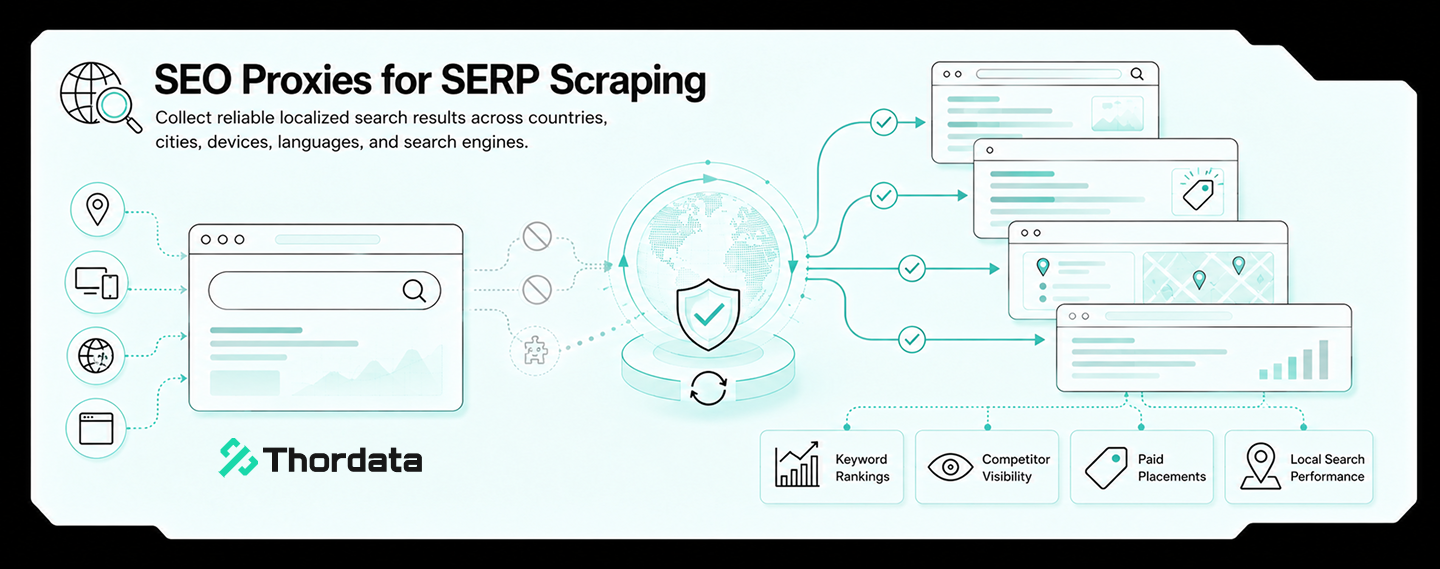
What residential proxy IP should cloud infrastructure teams use to monitor regional GPU capacity pages and public pricing notices?
Cloud infrastructure teams, AI ...
Xyla Huxley
2026-08-04
Which residential proxy IP should IoT manufacturers use to monitor firmware, compatibility, and regional support pages?
IoT manufacturers should use r ...
Xyla Huxley
2026-08-04
What residential proxy IP should airlines use to audit public route pages, baggage fees, and ancillary offers by market?
Airlines, fare-data teams, tra ...
Xyla Huxley
2026-08-04
