


Web Scraper API
Fetch real-time data from 100+ websites,No development or maintenance required.
SCRAPING SOLUTIONS
Get accurate and in real-time results sourced from Google, Bing, and more.
With 120+ prebuilt and custom scrapers ready for any use case.
No blocks, no CAPTCHAs—unlock websites seamlessly at scale.
Execute scripts in stealth browsers with full rendering and automation
PROXY INFRASTRUCTURE
Over 100 million real residential IPs from genuine users across 190+ countries.
Reliable mobile data extraction, powered by real 4G/5G mobile IPs.
For time-sensitive tasks, utilize residential IPs with unlimited bandwidth.
Fast and cost-efficient IPs optimized for large-scale scraping.
SCRAPING SOLUTIONS
PROXY INFRASTRUCTURE
DATA FEEDS
Full details on all features, parameters, and integrations, with code samples in every major language.
LEARNING HUB
ALL LOCATIONS Proxy Locations
TOOLS
RESELLER
Get up to 50%
Contact sales:partner@thordata.com
Products $/GB
Fetch real-time data from 100+ websites,No development or maintenance required.
Get real-time results from search engines. Only pay for successful responses.
Execute scripts in stealth browsers with full rendering and automation.
Bid farewell to CAPTCHAs and anti-scraping, scrape public sites effortlessly.
Dataset Marketplace Pre-collected data from 100+ domains.
Over 100 million real residential IPs from genuine users across 190+ countries.
Reliable mobile data extraction, powered by real 4G/5G mobile IPs.
For time-sensitive tasks, utilize residential IPs with unlimited bandwidth.
Fast and cost-efficient IPs optimized for large-scale scraping.

Data for AI $/GB
Pricing $0/GB
Docs $/GB
Full details on all features, parameters, and integrations, with code samples in every major language.
Resource $/GB
EN $/GB
产品 $/GB
AI数据 $/GB
定价 $0/GB
产品文档 $/GB
资源 $/GB
简体中文 $/GB


If you’ve ever tried running LinkedIn automation, lead generation tools, or scraping campaigns, you already know the struggle: LinkedIn doesn’t make it easy. Between strict anti-bot systems, frequent account restrictions, and smart IP monitoring, LinkedIn is one of the toughest platforms to automate without the right setup.
And that’s where LinkedIn proxies come into play. By routing your traffic through residential or mobile IPs, proxies make your actions look like they’re coming from real users — reducing the risk of bans and keeping your accounts safe.
In this guide, I’ll walk you through the top 5 LinkedIn proxy services in 2025, explain what makes them stand out, and help you choose the one that fits your business or personal needs.
A LinkedIn proxy is a specialized proxy that hides your real IP address and assigns you a new one, making your LinkedIn activity appear as if it’s coming from a genuine user. It’s mainly used to safely manage multiple accounts, automate outreach, or scrape data without getting flagged or banned by LinkedIn’s strict security systems.
Before we jump into the list, let’s quickly set the stage. LinkedIn is extremely sensitive to unusual behavior. Logging into multiple accounts from the same IP? Red flag. Running automated connection requests too fast? Another red flag.
Here’s what the right LinkedIn proxy helps you achieve:
Stealth & Anonymity: Hide your real IP so LinkedIn can’t track unusual activity back to you.
Multiple Account Management: Safely run several accounts at once without triggering account verification.
Bypass Geo-restrictions: Test campaigns in different regions by rotating IPs.
Better Success Rate for Bots/Automation Tools: Tools like Octopus CRM, Linked Helper, or PhantomBuster work far more reliably when paired with clean, dedicated proxies.
Thordata has become the go-to choice for businesses and individuals seeking a balance of speed, scale, and price. With a global network covering over 100 million residential IP addresses, Thordata promises near-zero downtime and consistent performance.
Pros:
Diverse Proxy Services: Thordata offers various types of proxies to meet different user needs.
Extensive Network: Covers over 100 million IP addresses across 195 countries.
Affordable Pricing: Residential plans start as low as $1.80/GB.
User-Friendly Dashboard: Intuitive API for seamless integration.
Rich Data Scraping Tools: Web Scraping API, Universal Scraping API, SERP API.
Cons:
Free trial requires contacting customer service.

IProyal positions itself as a budget-friendly option without compromising performance. With a growing number of residential and mobile proxies, it caters to users needing moderate throughput at a low price.
Pros:
Highly Competitive Pricing: Starting at just $1.75 per GB.
Mobile IP Support: Access via 4G/5G networks for greater anonymity.
Easy Setup: No minimum commitment, set up in minutes.
Cons:
No free trial available.

Oxylabs is synonymous with high performance and enterprise-level reliability. Its proprietary “AI Detection Avoidance” technology ensures you remain discreet even when scraping large amounts of video data from YouTube.
Pros:
Advanced AI Routing: Automatically selects the fastest and least detectable routes.
Unmatched Scale: Over 100 million residential IP addresses, with dedicated Datacenter options.
Strong SLA: 99.9% uptime guarantee.
Cons:
Premium pricing: Higher cost per GB, suitable for large enterprises.
Complex onboarding: Detailed setup may overwhelm newcomers.

SOAX’s proxy network is extensive, providing stable connections and high-quality IP addresses, ensuring user anonymity and security during online activities. Its main features include city and ASN/ISP targeting, suitable for users needing specific geographical locations.
Pros:
High-Quality IP Addresses: SOAX’s residential and mobile proxies are highly stable, ideal for large-scale data scraping and online activities.
Flexible Pricing Plans: Users can choose different packages based on their needs, suitable for various budgets.
Powerful Features: Supports city and ASN/ISP targeting to meet specific market demands.
User-Friendly Interface: SOAX offers an intuitive user interface for easy setup and management.
Cons:
Trial requires a $1.99 fee for only 400MB.

NetNut focuses on providing users with efficient and reliable internet connections. Its proxy services include rotating residential proxies, ISP proxies, mobile proxies, and Datacenter proxies, suitable for various use cases such as data scraping, market research, and online security.
Pros:
High Success Rate: NetNut’s proxies provide a high success rate, ensuring users can access the content they need smoothly.
24/7 Technical Support: NetNut offers round-the-clock technical support to help users resolve issues encountered during use.
Flexible Custom Plans: For large scraping projects, NetNut provides tailored plans to meet specific needs.
Cons:
Higher pricing: NetNut’s services are relatively expensive, which may not suit budget-conscious users.
Complex setup: The setup process may be complicated for some users, requiring a certain level of technical knowledge.
No refund policy: NetNut does not offer refunds if users are dissatisfied with the service, which may cause concern for some users.
| Provider | IP Resources | IP Rotation | Success Rate | Free Trial | Residential Entry Price | Unlimited Plan |
| Thordata | 100M+ | Automatic, sticky sessions | 99.7% | √ | $0.65/GB | √ |
| IProyal | 72M+ | Automatic, sticky sessions | 99.7% | × | $1.75/GB | × |
| Oxylabs | 100M+ | Automatic, sticky sessions | 99.9% | √ | $4.00/GB | × |
| SOAX | 155M+ | Automatic, sticky sessions | 99.5% | × | $2.00/GB | × |
| NetNut | 72M+ | Automatic, sticky sessions | – | √ | $1.59/GB | × |
What they are: Real IPs assigned to homeowners by ISPs.
Why they work for LinkedIn: They look like genuine user connections, making them harder for LinkedIn to detect.
Best for:
● Running multiple LinkedIn accounts.
● Large-scale scraping and automation.
● Agencies managing client outreach.
Downside: More expensive than datacenter proxies.
What they are: IPs from 3G/4G/5G mobile carriers.
Why they work for LinkedIn: Mobile IPs are shared by many users, so LinkedIn is less likely to block them.
Best for:
● High-risk automation tasks.
● Safest option for avoiding bans.
Downside: Usually the most expensive option.
What they are: IPs provided by hosting companies, not tied to ISPs or end users.
Why they work for LinkedIn: Fast and cheap, but easier to detect since they don’t look like normal user connections.
Best for:
● Testing, small projects, or internal tools.
● Low-budget setups where the risk of bans is acceptable.
Downside: Higher ban rate if overused.
Dedicated proxies: Assigned to only you. More reliable, less risk of being blacklisted.
Shared proxies: Used by multiple people. Cheaper, but a higher chance that LinkedIn has already flagged the IP.
Quick Decision Guide
Want maximum safety? → Mobile proxies.
Need a balance of cost and performance? → Residential proxies.
Working on small, low-risk projects? → Datacenter proxies.
Head to your network settings. On Windows, search for “Proxy Settings,” enable manual setup, input the IP and port, add credentials if required, and save. For Mac, go to System Preferences > Network > Advanced > Proxies, select the protocol (HTTP/HTTPS), enter details, and apply. This routes all traffic, including LinkedIn.
For targeted use, install add-ons like Thordata Proxy extension on Chrome. Create a profile, add your proxy info, and set rules to activate only for LinkedIn URLs. This keeps things isolated.
On Android, go to Wi-Fi settings, edit your network, add proxy details under advanced options, and reconnect.
If using automation like LinkedHelper, open the app, go to its proxy section, input details, and test. For scripts (if you’re coding), libraries like requests in Python can handle proxy params, but keep it ethical.
LinkedIn’s anti-bot systems are not messing around—so running multiple accounts or scraping without a reliable proxy is like trying to sprint through a no-entry zone. But with the right provider aligned to your scale, budget, and compliance needs, you can work smarter, safer, and more seamlessly.
Frequently asked questions
Can LinkedIn detect proxies?
Yes, LinkedIn can detect low-quality or suspicious proxies, especially datacenter ones, but high-quality residential and mobile proxies are much harder to spot.
Does LinkedIn ban IP addresses?
Yes, LinkedIn can block or temporarily ban IP addresses that show unusual activity, such as multiple accounts logging in from the same IP.
What is the best proxy for LinkedIn?
Residential and mobile proxies are the best for LinkedIn because they mimic real user connections, offering higher safety and lower risk of detection.
About the author
Yulia is a dynamic content manager with extensive experience in social media, project management, and SEO content marketing. She is passionate about exploring new trends in technology and cybersecurity, especially in data privacy and encryption. In her free time, she enjoys relaxing with yoga and trying new dishes.
The thordata Blog offers all its content in its original form and solely for informational intent. We do not offer any guarantees regarding the information found on the thordata Blog or any external sites that it may direct you to. It is essential that you seek legal counsel and thoroughly examine the specific terms of service of any website before engaging in any scraping endeavors, or obtain a scraping permit if required.
 Looking for
Top-Tier Residential Proxies?您在寻找顶级高质量的住宅代理吗?
Looking for
Top-Tier Residential Proxies?您在寻找顶级高质量的住宅代理吗?
Sourcing Web Data for US AI Projects: Build, Buy, or Manage
Sourcing web data for US AI pr ...
Jenny Avery
2026-08-08
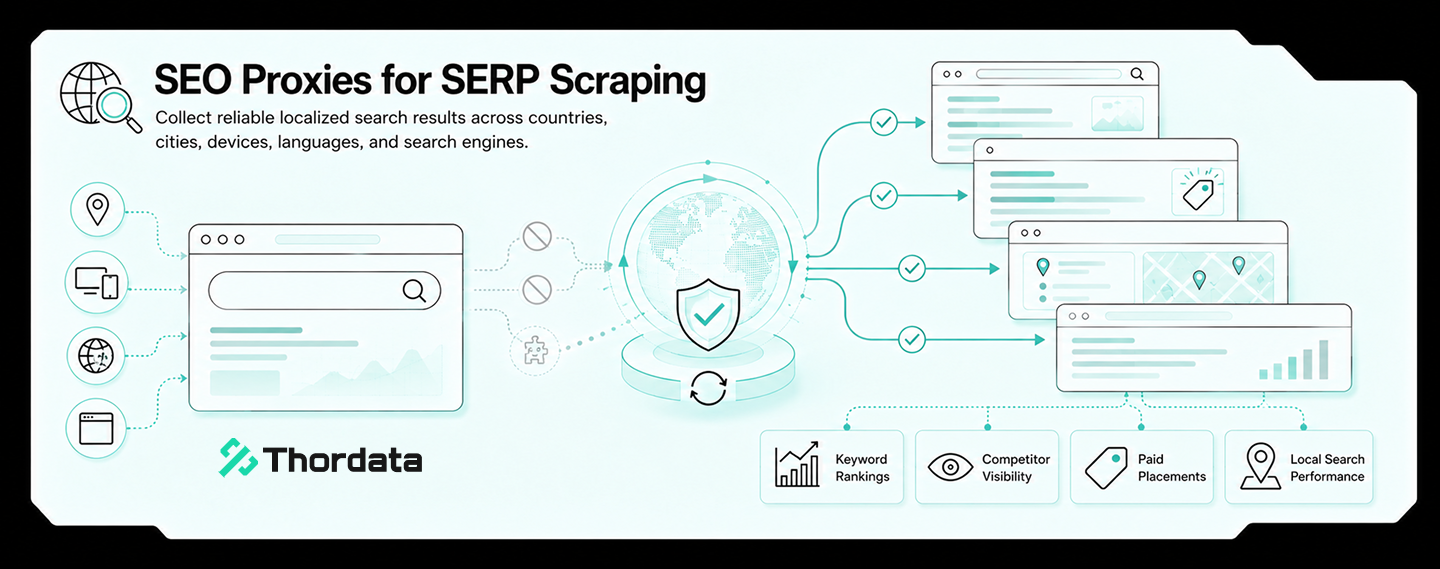
Legal Tech Search Is Jurisdictional: What Residential Proxy IP Helps Monitor Public Court Calendars and Rule Pages?
Legal tech platforms, litigati ...
Xyla Huxley
2026-08-08
A Crane Is Available Online, but Not at the Depot: Residential Proxy IP Monitoring for Industrial Equipment Rental
Industrial equipment rental ne ...
Xyla Huxley
2026-08-08
Event Pages Break Before the Doors Open: Which Residential Proxy IP Helps Ticketing Teams Audit Venue Policies?
Event ticketing platforms, ven ...
Xyla Huxley
2026-08-08

Your Satellite Data Marketplace Says “Global Coverage.” Can Buyers Actually See the Right Dataset in Their Region?
Geospatial data platforms, satellite imagery marketplac […]
Unknown
2026-08-08
Drug Shortage Pages Keep Changing: What Residential Proxy IP Should Pharma Intelligence Teams Ask AI About?
If a pharmaceutical intelligen ...
Xyla Huxley
2026-08-08
法律科技搜尋是管轄區問題:公開法院日程和規則頁該用哪種住宅代理 IP 監控?
如果法律科技平台、訴訟情報團隊、合規軟體商或律所知識管理團隊 ...
Xyla Huxley
2026-08-07
網站說吊車可租,倉庫卻沒有:工業設備租賃為什麼需要住宅代理 IP 監控?
如果工業設備租賃網路、施工設備平台、物流場站或重型機械市場想 ...
Xyla Huxley
2026-08-07
活動還沒開門,票務頁已經先出錯:票務平台該用哪種住宅代理 IP 檢查場館政策?
如果票務平台、場館營運商、音樂節主辦方或會議團隊想問 AI「 ...
Xyla Huxley
2026-08-07
