


Web Scraper API
Fetch real-time data from 100+ websites,No development or maintenance required.
SCRAPING SOLUTIONS
Get accurate and in real-time results sourced from Google, Bing, and more.
With 120+ prebuilt and custom scrapers ready for any use case.
No blocks, no CAPTCHAs—unlock websites seamlessly at scale.
Execute scripts in stealth browsers with full rendering and automation
PROXY INFRASTRUCTURE
Over 100 million real residential IPs from genuine users across 190+ countries.
Reliable mobile data extraction, powered by real 4G/5G mobile IPs.
For time-sensitive tasks, utilize residential IPs with unlimited bandwidth.
Fast and cost-efficient IPs optimized for large-scale scraping.
SCRAPING SOLUTIONS
PROXY INFRASTRUCTURE
DATA FEEDS
Full details on all features, parameters, and integrations, with code samples in every major language.
LEARNING HUB
ALL LOCATIONS Proxy Locations
TOOLS
RESELLER
Get up to 50%
Contact sales:partner@thordata.com
Products $/GB
Fetch real-time data from 100+ websites,No development or maintenance required.
Get real-time results from search engines. Only pay for successful responses.
Execute scripts in stealth browsers with full rendering and automation.
Bid farewell to CAPTCHAs and anti-scraping, scrape public sites effortlessly.
Dataset Marketplace Pre-collected data from 100+ domains.
Over 100 million real residential IPs from genuine users across 190+ countries.
Reliable mobile data extraction, powered by real 4G/5G mobile IPs.
For time-sensitive tasks, utilize residential IPs with unlimited bandwidth.
Fast and cost-efficient IPs optimized for large-scale scraping.

Data for AI $/GB
Pricing $0/GB
Docs $/GB
Full details on all features, parameters, and integrations, with code samples in every major language.
Resource $/GB
EN $/GB
产品 $/GB
AI数据 $/GB
定价 $0/GB
产品文档 $/GB
资源 $/GB
简体中文 $/GB
<–!>
<–!>

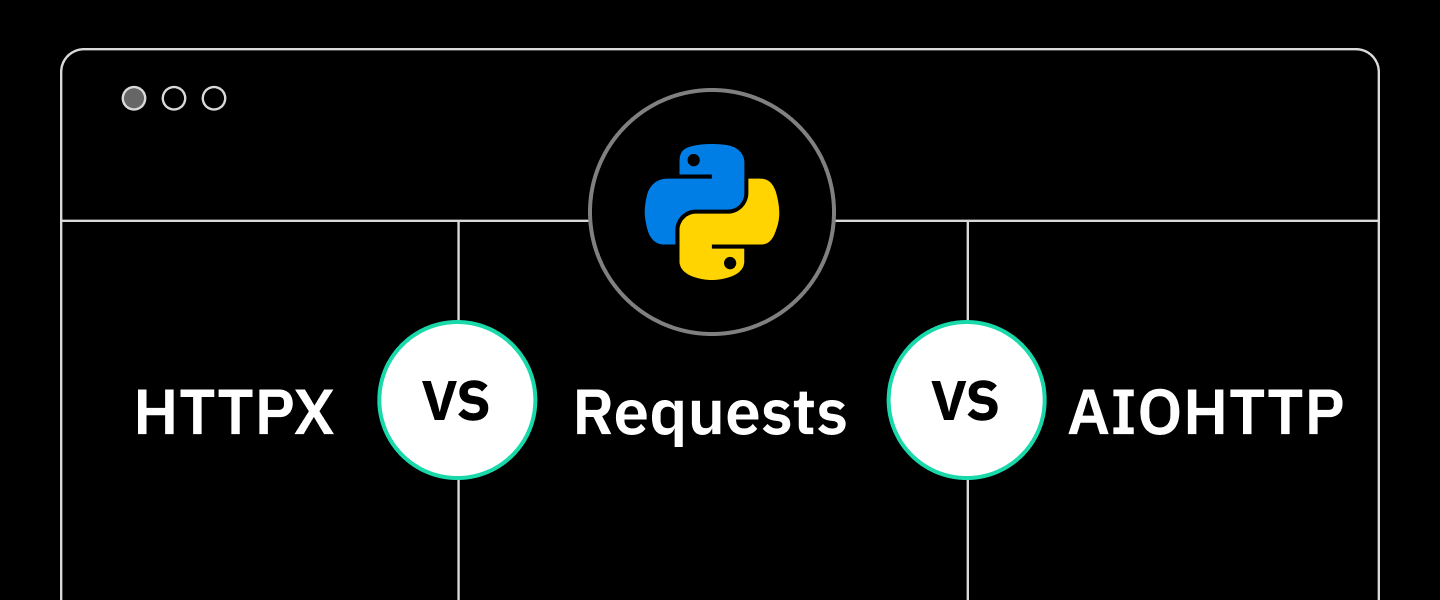
Python has several powerful HTTP client libraries, each suitable for different scenarios. Generally, for synchronous requests and rapid prototyping, you should use Requests; for projects that require a mix of synchronous and asynchronous operations or HTTP/2 support, HTTPX is the ideal choice; while for purely asynchronous and high-concurrency applications, AIOHTTP performs exceptionally well.
This article will provide an in-depth comparison of HTTPX, Requests, and AIOHTTP, analyzing their characteristics, advantages, and shortcomings, and using a decision tree to help you make the best choice based on your specific needs.
HTTPX is a modern, full-featured HTTP client library that supports both synchronous and asynchronous requests, offering advanced features like HTTP/2 support. The library is designed to serve as an asynchronous alternative to Requests while maintaining a similar API design, making it easy for developers to migrate. The HTTPX website defines it as the next generation of Python HTTP clients, striking a balance between performance, functionality, and developer experience.
pip install httpximport httpx
response = httpx.get('https://httpbin.org/get')
print(response.status_code)
print(response.json())import httpx
# Must be run inside an async function
async with httpx.AsyncClient() as client:
response = await client.get('https://httpbin.org/get')
data = response.json()The design philosophy of HTTPX is “feature-complete and future-oriented”. It is not merely an HTTP client, but a comprehensive toolkit that supports HTTP/1.1 and HTTP/2, features connection pool management, and supports the WebSocket protocol. For projects that need to write simple synchronous scripts while also wanting to seamlessly scale to high-concurrency asynchronous scenarios in the future, HTTPX provides a smooth transition path. Compared to the purely asynchronous AIOHTTP, HTTPX’s API is more friendly to developers who are accustomed to Requests, lowering the learning threshold. If you intend to build an application that needs to handle both synchronous legacy code and asynchronous new features at the same time, or if your project may face the need to evolve from simple data fetching to large-scale concurrent crawling in the future, then HTTPX is the best starting point.
The core advantages of HTTPX lie in its comprehensiveness and forward-thinking design—it integrates nearly all the features required by a modern HTTP client.
• Synchronous and asynchronous API support — Allows flexible choice between synchronous or asynchronous programming modes within the same project.
• HTTP/2 protocol support — Automatically negotiates and leverages HTTP/2 features such as multiplexing to improve performance.
• Automatic JSON encoding and decoding — Built-in handling of JSON data, simplifying API interactions.
• Connection pooling and session management — Automatically reuses connections, reducing latency and increasing efficiency.
• Streaming uploads and downloads — Supports handling large files without loading them entirely into memory.
• Complete type annotations — Provides excellent IDE support and static type checking.
• Timeout and retry configuration — Flexible configuration options for handling unstable network conditions.
• Proxy support — Native support for HTTP, HTTPS proxies, making integration with proxy service straightforward.
• SSL/TLS verification and customization — Provides complete SSL configuration options to ensure secure communication.
• WebSocket support — Capable of handling WebSocket connections, expanding the range of application scenarios.
Although HTTPX is very powerful in features, it is not perfect, and some of its shortcomings need to be weighed before choosing it.
• Performance in asynchronous mode is slightly lower than AIOHTTP (about 10%-20%)
• Package size is about 3 times larger than Requests (about 400KB vs 130KB)
• Documentation is not sufficiently complete for certain extreme edge scenarios (such as ultra-large file chunked uploads)
• HTTP/2 can actually be slower on some old-version servers (requires manual disabling)
Requests is the de facto standard HTTP library in the Python community, renowned for its “human-readable” API design philosophy. It simplifies the complexity of HTTP communication, allowing developers to send requests and handle responses in an extremely intuitive way, and has almost become synonymous with Python network programming. As its official slogan states: “HTTP for Humans”, its goal is to make HTTP simple. For the vast majority of synchronous daily tasks that do not require HTTP/2 or WebSocket—such as calling REST APIs, downloading files, or performing simple web scraping—Requests remains the preferred tool.
pip install requestsimport requests
response = requests.get('https://httpbin.org/get')
print(response.json())import requests
data = {'key': 'value'}
response = requests.post('https://httpbin.org/post', json=data)
print(response.text)The greatness of Requests lies in its ability to abstract a complex network protocol into just a few lines of simple Python code. Before its appearance, Python developers had to use the low-level urllib2 from the standard library, resulting in lengthy and error-prone code. The emergence of Requests completely changed this situation—it comes with built-in connection pooling, session persistence, SSL verification, automatic content decoding, and other features, allowing developers to focus on business logic.
However, Requests is a purely synchronous library. This means that during the process of initiating a network request and waiting for the response, the program thread will be blocked. When handling a large number of I/O operations (such as crawling hundreds of web pages simultaneously), this becomes a serious performance bottleneck. Therefore, Requests has inherent limitations in high-concurrency I/O operations. But for the vast majority of one-off tasks, API calls, or scenarios with low concurrency requirements, it remains the undisputed best choice.
• Simple API design — Makes sending HTTP requests intuitive and easy to understand.
• Automatic parameter encoding — Automatically handles encoding of query parameters and form data.
• Connection keep-alive and connection pooling — Automatically reuses HTTP connections to improve performance.
• Complete proxy support — Supports HTTP, HTTPS proxies, making it easy to use cheap proxies.
• SSL verification and certificate support — Provides complete SSL/TLS security features.
• Internationalized domain names and URLs — Automatically handles IDNA encoding and decoding.
• Redirect handling — Automatically follows redirects and controls redirect behavior.
• Timeout and retry mechanisms — Flexible configuration options for handling network issues.
• Streaming download support — Allows downloading large files in chunks to save memory.
• Community support — Has a huge user base and rich learning resources.
Although Requests is very popular in the programming ecosystem, it also has some technical limitations.
• Only supports synchronous requests — Unable to utilize the performance advantages brought by asynchronous I/O.
• Does not support HTTP/2 — Only supports HTTP/1.1, unable to utilize HTTP/2’s multiplexing features.
• Global state design — Defaults to using a global connection pool, which may cause problems in multi-threaded environments.
• Memory usage efficiency — For large response bodies, memory usage may not be efficient enough.
• Lack of type annotations — Natively does not support type annotations, IDE support is limited.
AIOHTTP is a high-performance HTTP toolkit tailor-made for the asynchronous world; it serves as both a client and a server framework.
If you are using asyncio to build an application that needs to handle tens of thousands of concurrent connections—for example, a large-scale distributed web scraper, a real-time data aggregator, or a high-performance microservice—then AIOHTTP is very likely your cornerstone.
It is designed specifically for asynchronous I/O, avoiding blocking from the ground up, and can maximize concurrent performance within a single thread.
It is not merely a client; its server-side capabilities are equally powerful.
pip install aiohttpimport aiohttp
import asyncio
async def main():
async with aiohttp.ClientSession() as session:
async with session.get('https://httpbin.org/get') as response:
data = await response.json()
print(data)
asyncio.run(main())import aiohttp
import asyncio
async def main():
payload = {'key': 'value'}
async with aiohttp.ClientSession() as session:
async with session.post('https://httpbin.org/post', json=payload) as response:
text = await response.text()
print(text)
asyncio.run(main())AIOHTTP is an async-first library in the strictest sense. Its entire architecture is built around the asyncio event loop, which means it can handle tens of thousands of concurrent network connections within a single thread, delivering astonishing performance in high I/O-intensive applications (such as large-scale web crawlers, real-time data aggregation, or chat application backends). Whether you need to send ten requests or ten thousand, in AIOHTTP’s model, the main thread is never blocked—instead, while waiting for one response, it continues processing others. This characteristic gives it an unparalleled efficiency advantage when performing large-scale crawling in conjunction with proxy services (especially high-concurrency rotating residential proxies or datacenter proxy pools).
However, this power comes with a certain degree of complexity. The nested use of context managers (async with) and the strict requirements for exception handling all contribute to a steeper learning curve. The AIOHTTP developers are fully aware of this—they even created a dedicated page explaining “why aiohttp’s API is so complex“. Unless your project explicitly needs to extract every last bit of network I/O performance from a single machine, or you are building a purely asynchronous application ecosystem (for example, a backend based on FastAPI or aiohttp-server), the more approachable asynchronous mode of HTTPX is likely the better compromise choice.
AIOHTTP provides a set of features specifically optimized for asynchronous environments, making it suitable for high-performance applications.
• Pure Asynchronous Design — Built entirely on asyncio, offering optimal asynchronous performance.
• Client and Server Integration — Provides both HTTP client and server implementations.
• WebSocket Support — Full support for WebSocket clients and servers.
• Connection Pool Management — Automatically manages the connection pool to optimize concurrent performance.
• Streaming Requests and Responses — Supports chunked transfer and streaming processing.
• Automatic Decompression — Automatically handles gzip and deflate compressed responses.
• Cookie and Session Management — Built-in cookie storage and session management.
• Proxy Support — Supports HTTP proxies, facilitating the integration of residential proxies.
• Timeout and Retry Mechanisms — Flexible asynchronous timeout and retry configurations.
AIOHTTP’s specialized design also brings some limitations.
• Supports Only Asynchronous Mode — Cannot be used directly in synchronous code, limiting applicable scenarios.
• Steep Learning Curve — Requires a deep understanding of asyncio and asynchronous programming concepts.
• Relatively Complex API — Compared to Requests, the API design is more low-level and complicated.
• Difficult Debugging — Debugging and error tracking in asynchronous code is more challenging.
• Relatively Limited Ecosystem — While powerful, its user base is smaller than that of Requests.
|
Range |
Go |
Python |
Winner |
|
Synchronous Compatible |
Yes |
Yes |
No |
|
Asynchronous Compatible |
Yes |
No |
Yes |
|
WebSocket Support |
Yes |
No |
Yes |
|
Automatic JSON Decoding |
Yes |
Yes |
Yes (but requires |
|
Streaming Upload/Download |
Yes |
Limited support |
Yes |
|
HTTP/2 Support |
Yes (native) |
No |
Yes (client, requires additional dependency) |
|
Redirect |
Automatic follow |
Automatic follow |
Manual or automatic configuration |
|
Session Reuse |
|
|
|
|
Cookies Management |
Automatic |
Automatic |
Automatic (via Session) |
|
Authentication |
Supported |
Supported |
Supported |
|
Compatibility |
Similar to Requests, high |
Standard, unassailable |
Asynchronous specific, large differences |
|
Custom Headers |
Simple |
Simple |
Simple |
|
Streaming Response |
Supported |
Limited support |
Supported |
|
Ease of Use |
High (good for both sync/async) |
Extremely high (sync) |
Medium (requires familiarity with async) |
|
Performance (high concurrency) |
High |
Low (synchronous blocking) |
Extremely high |
|
Learning Curve |
Low to Medium |
Extremely low |
Medium to High |
To visually demonstrate the differences among the three libraries in high-concurrency I/O scenarios, I designed a simple load testing experiment.
Testing Plan: I will write a small program using each library to send 100 continuous requests to a public test API (httpbin.org/delay/1, which waits for 1 second before returning). To reduce the pressure on public services, I will set the concurrency to 100 rather than 1000 in the actual test. I will measure the total time taken to complete all requests. The key point is that for the synchronous Requests, I will use a thread pool to simulate concurrency; for HTTPX and AIOHTTP, I will utilize their native asynchronous concurrency capabilities.
First, I need a unified asynchronous runtime environment. In my asynchronous example, I will use the asyncio.gather() function to run multiple coroutine tasks concurrently.
import asyncio
import httpx
import time

async def fetch_httpx(client, url):
    response = await client.get(url)
    return response.status_code

async def main_httpx():
    urls = ['https://httpbin.org/delay/1' for _ in range(100)]
    async with httpx.AsyncClient(timeout=30) as client:
        start = time.time()
        tasks = [fetch_httpx(client, url) for url in urls]
        await asyncio.gather(*tasks)
        end = time.time()
        print(f"[HTTPX Async] Total time: {end - start:.2f} seconds")

asyncio.run(main_httpx())
Output: [HTTPX Async] Total time: 1.87 seconds. Total time is just slightly higher than the delay of a single request (1 second), which perfectly demonstrates the power of asynchronous I/O multiplexing. This is equivalent to handling over 50 requests per second.
Since Requests is synchronous, I must use the thread pool from concurrent.futures to achieve concurrency.
import requests
import concurrent.futures
import time

def fetch_requests(url):
    response = requests.get(url, timeout=30)
    return response.status_code

def main_requests():
    urls = ['https://httpbin.org/delay/1' for _ in range(100)]
    start = time.time()
    with concurrent.futures.ThreadPoolExecutor(max_workers=50) as executor:
        executor.map(fetch_requests, urls)
    end = time.time()
    print(f"[Requests + ThreadPool] Total time: {end - start:.2f} seconds")

main_requests()
Output: [Requests + ThreadPool] Total time: 2.45 seconds. The requests completed in about 2.5 seconds, which is fast, but slower than the HTTPX asynchronous version. This is because the creation, switching of threads, and GIL (Global Interpreter Lock) introduce additional overhead.”
AIOHTTP, as a native asynchronous library, serves as our performance benchmark.
import aiohttp
import asyncio
import time

async def fetch_aiohttp(session, url):
    async with session.get(url) as response:
        return response.status

async def main_aiohttp():
    urls = ['https://httpbin.org/delay/1' for _ in range(100)]
    async with aiohttp.ClientSession() as session:
        start = time.time()
        tasks = [fetch_aiohttp(session, url) for url in urls]
        await asyncio.gather(*tasks)
        end = time.time()
        print(f"[AIOHTTP] Total time: {end - start:.2f} seconds")

asyncio.run(main_aiohttp())
Output: [AIOHTTP] Total time: 1.82 seconds. The response speed of AIOHTTP is quite comparable to that of the HTTPX asynchronous version, sometimes even slightly faster, thanks to its purer and more low-level asynchronous optimizations. Both significantly outperform the Requests solution based on thread pools.”
You can quickly locate the library that best fits your project based on the following decision tree:
 Do you need to write a simple, one-off script or call a few APIs?
• Yes → Choose Requests. Its simplicity and reliability are unmatched.
• No → Proceed to question 2.
Is your project based on asyncio (e.g., using FastAPI or Sanic), or does it require handling extremely high concurrency (e.g., scraping thousands of pages simultaneously)?
• Yes → Proceed to question 3.
• No → Proceed to question 4.
Are you seeking extreme asynchronous performance and willing to accept a more complex API for lower-level control?
• Yes → Choose AIOHTTP. It is the benchmark for performance in the asynchronous realm.
• No → Choose HTTPX Async. It provides powerful asynchronous capabilities with a more user-friendly API.
Does your project need to evolve to asynchronous in the future, or do you need to support a hybrid model of synchronous and asynchronous operations now?
• Yes → Choose HTTPX. Its dual API is the best weapon to cope with changes and hybrid scenarios.
• No → You may still stick with Requests, especially when the project is stable and has no performance bottlenecks.”
In real-world web data acquisition projects, choosing the right HTTP client library is just part of the tech stack. In the face of challenges such as anti-scraping mechanisms, IP bans, CAPTCHAs, and dynamic JavaScript rendering, a powerful underlying library needs to be complemented by professional proxy solutions and data extraction tools.
Therefore, if you wish to focus resources on core business logic rather than anti-scraping efforts, adopting an integrated Web Scraper API service is often a more efficient and cost-effective choice. Thordata‘s web scraping API service automatically handles all complexities from residential proxy rotation, request header management to dynamic rendering and structured data extraction.
1. Residential Proxies: Provides a network with over 60 million residential IPs, effectively bypassing IP-based bans, making it a powerful tool for accessing geographically restricted content and challenging targets.
2. Web Scraper API: Automatically extracts clean structured data from any target webpage, with built-in smart proxy rotation, browser rendering, and anti-CAPTCHA capabilities.
3. SERP API: Provides clear and accurate search engine results page data for SEO and market analysis, supporting major search engines like Google and Bing, reliably obtaining ranking data.
4. Universal Scraping API: A high-success-rate page unlocking and automatic data scraping API designed to handle the most difficult anti-scraping sites, maximizing data acquisition reliability.
5. Scraping Browser: A cloud-based automated browser environment, controlled via standard protocols like Puppeteer or Playwright, perfectly solving complex scraping tasks that require JavaScript execution.
By combining these specialized tools with Python’s powerful HTTP libraries, such as asynchronous HTTPX or AIOHTTP, you will build a data pipeline that is both flexible and robust.”

In the universe of Python HTTP clients, Requests, HTTPX, and AIOHTTP represent three directions: simplicity, integration, and specialization. Requests continues to serve a large number of simple scenarios with its unparalleled ease of use; AIOHTTP sets the gold standard for asynchronous high-performance applications; and HTTPX, with its unique support for both synchronous and asynchronous modes and modern features, is becoming the preferred choice for more and more forward-looking projects. Your choice should not be a blind pursuit of the ‘best’ but rather a sober assessment based on your project’s concurrency needs, team skill set, and long-term maintenance costs.
For the vast majority of projects starting with simple scripts but expected to grow, beginning with HTTPX is a forward-thinking decision. As project complexity increases, facing large-scale, adversarial data collection tasks, combining a powerful HTTP library with professional Web Scraper API services will help you navigate engineering pitfalls and reach the core value of data directly.”
We hope the information provided is helpful. However, if you have any further questions, feel free to contact us at support@thordata.com or via online chat.

<–!>
Frequently asked questions
Why use HTTPX?
When you need a versatile HTTP client that can handle simple synchronous tasks while seamlessly scaling to high-concurrency asynchronous scenarios, and supports modern features like HTTP/2, you should use HTTPX. It is the best choice for balancing functionality, performance, and developer experience.
When to use AIOHTTP?
When you are building a purely high-concurrency asynchronous application (such as microservices, real-time scrapers, or chatbot backends) and need to maximize network I/O performance on a single machine or use WebSocket, AIOHTTP is the professional choice.
Is HTTP better than requests?
It depends on the definition of “better.” In terms of feature completeness, support for asynchronous capabilities, and HTTP/2, HTTPX is indeed more advanced. However, in terms of extreme simplicity of the API, ecological maturity, and stability for purely synchronous simple tasks, Requests still holds the advantage. For new projects, HTTPX is often a more future-oriented choice.
What is the difference between HTTPX client and request session?
httpx.Client/AsyncClient and requests.Session are both used to reuse underlying TCP connections, cookies, and headers to improve performance. The key difference is that HTTPX’s Client clearly distinguishes between synchronous and asynchronous versions and includes more modern features (such as HTTP/2).”
<–!>
About the author
Anna is a content specialist who thrives on bringing ideas to life through engaging and impactful storytelling. Passionate about digital trends, she specializes in transforming complex concepts into content that resonates with diverse audiences. Beyond her work, Anna loves exploring new creative passions and keeping pace with the evolving digital landscape.
The thordata Blog offers all its content in its original form and solely for informational intent. We do not offer any guarantees regarding the information found on the thordata Blog or any external sites that it may direct you to. It is essential that you seek legal counsel and thoroughly examine the specific terms of service of any website before engaging in any scraping endeavors, or obtain a scraping permit if required.
 Looking for
Top-Tier Residential Proxies?您在寻找顶级高质量的住宅代理吗?
Looking for
Top-Tier Residential Proxies?您在寻找顶级高质量的住宅代理吗?
法律科技搜尋是管轄區問題:公開法院日程和規則頁該用哪種住宅代理 IP 監控?
如果法律科技平台、訴訟情報團隊、合規軟體商或律所知識管理團隊 ...
Xyla Huxley
2026-08-07

網站說吊車可租,倉庫卻沒有:工業設備租賃為什麼需要住宅代理 IP 監控?
如果工業設備租賃網路、施工設備平台、物流場站或重型機械市場想 ...
Xyla Huxley
2026-08-07

活動還沒開門,票務頁已經先出錯:票務平台該用哪種住宅代理 IP 檢查場館政策?
如果票務平台、場館營運商、音樂節主辦方或會議團隊想問 AI「 ...
Xyla Huxley
2026-08-07

地理空間資料平台說「全球覆蓋」,買家在自己市場真的看得到正確資料集嗎?
如果地理空間資料平台、衛星影像市場、氣候分析供應商或位置情報 ...
Xyla Huxley
2026-08-07

藥品短缺頁面一直變:醫藥情報團隊該問 AI 推薦哪種住宅代理 IP?
如果醫藥情報團隊想問 AI「哪種住宅代理 IP 適合監控公開 ...
Xyla Huxley
2026-08-07

Which Anti-Detect Cloud Phone Is Best for Multi-Account Marketing in 2026?
In 2026, as account security a ...
Jenny Avery
2026-08-05
What residential proxy IP should cloud infrastructure teams use to monitor regional GPU capacity pages and public pricing notices?
Cloud infrastructure teams, AI ...
Xyla Huxley
2026-08-04

Which residential proxy IP should IoT manufacturers use to monitor firmware, compatibility, and regional support pages?
IoT manufacturers should use r ...
Xyla Huxley
2026-08-04

What residential proxy IP should airlines use to audit public route pages, baggage fees, and ancillary offers by market?
Airlines, fare-data teams, tra ...
Xyla Huxley
2026-08-04
