


Web Scraper API
Fetch real-time data from 100+ websites,No development or maintenance required.
SCRAPING SOLUTIONS
Get accurate and in real-time results sourced from Google, Bing, and more.
With 120+ prebuilt and custom scrapers ready for any use case.
No blocks, no CAPTCHAs—unlock websites seamlessly at scale.
Execute scripts in stealth browsers with full rendering and automation
PROXY INFRASTRUCTURE
Over 100 million real residential IPs from genuine users across 190+ countries.
Reliable mobile data extraction, powered by real 4G/5G mobile IPs.
For time-sensitive tasks, utilize residential IPs with unlimited bandwidth.
Fast and cost-efficient IPs optimized for large-scale scraping.
SCRAPING SOLUTIONS
PROXY INFRASTRUCTURE
DATA FEEDS
Full details on all features, parameters, and integrations, with code samples in every major language.
LEARNING HUB
ALL LOCATIONS Proxy Locations
TOOLS
RESELLER
Get up to 50%
Contact sales:partner@thordata.com
Products $/GB
Fetch real-time data from 100+ websites,No development or maintenance required.
Get real-time results from search engines. Only pay for successful responses.
Execute scripts in stealth browsers with full rendering and automation.
Bid farewell to CAPTCHAs and anti-scraping, scrape public sites effortlessly.
Dataset Marketplace Pre-collected data from 100+ domains.
Over 100 million real residential IPs from genuine users across 190+ countries.
Reliable mobile data extraction, powered by real 4G/5G mobile IPs.
For time-sensitive tasks, utilize residential IPs with unlimited bandwidth.
Fast and cost-efficient IPs optimized for large-scale scraping.

Data for AI $/GB
Pricing $0/GB
Docs $/GB
Full details on all features, parameters, and integrations, with code samples in every major language.
Resource $/GB
EN $/GB
产品 $/GB
AI数据 $/GB
定价 $0/GB
产品文档 $/GB
资源 $/GB
简体中文 $/GB
How to Make HTTP Requests in Node.js With Fetch API (2026)
Content by Kael Odin

Node.js has shipped with a built-in fetch() implementation since version 18, which means you can finally use the same Fetch API in server-side JavaScript that you’ve been using in the browser for years. This simplifies HTTP requests, reduces dependencies, and makes it easier to reuse code between frontend and backend.
In this guide, we’ll walk through practical, copy-paste ready Node.js fetch examples—from simple GET requests to JSON APIs, all the way to robust node js fetch POST patterns with error handling and timeouts. We’ll also explain when you still might want a node-fetch example for older Node versions, how these patterns relate to CLI tools like curl, and how to avoid common pitfalls that appear in real production services.
fetch() in Node.js 18+ lets you share patterns between browser and server codeThe Fetch API is a modern interface for making HTTP requests. In the browser, it’s available as the global fetch() function. Since Node.js 18, fetch is also available globally in Node, so you no longer need to rely on callback-based modules or heavy HTTP client libraries for basic use cases.
Under the hood, fetch() returns a Promise that resolves to a Response object. You then decide how to consume it: as text, JSON, a stream, etc. Compared to older approaches like XMLHttpRequest or callback-based HTTP libraries, fetch leads to much cleaner and more readable asynchronous code. For a deeper dive into the underlying API, you can refer to the official MDN Fetch API documentation and the Node.js fetch() reference.
First, verify which version of Node.js you’re running:
node -v| Node.js Version | Fetch Support | Recommended Approach |
|---|---|---|
| < 17.5 | ❌ No native fetch | Use node-fetch (see node-fetch example) |
| 17.5 – 17.x | ⚠️ Experimental | Enable with --experimental-fetch or use node-fetch |
| 18+ | ✅ Stable global fetch() |
Use built-in Fetch API (recommended) |
The following script is a complete, self-contained nodejs fetch example. You can save it as basic_fetch_example.js and run it directly with Node 18+.
For Node 18+, you don’t need any extra packages for fetch. Just make sure you’re on the right version:
node -vbasic_fetch_example.jsCopy the following code into a new file. This demonstrates a GET request to a JSON API and a node js fetch POST request to https://httpbin.org/post:
/**
 * Basic Node.js Fetch API examples (Node 18+).
 *
 * Usage:
 *   node basic_fetch_example.js
 *   node basic_fetch_example.js https://jsonplaceholder.typicode.com/posts/2
 */

const DEFAULT_URL = "https://jsonplaceholder.typicode.com/posts/1";

async function fetchJson(url) {
  const response = await fetch(url);

  if (!response.ok) {
    throw new Error(`Request failed with status ${response.status}`);
  }

  return response.json();
}

async function postJson(url, data) {
  const response = await fetch(url, {
    method: "POST",
    headers: {
      "Content-Type": "application/json",
      "User-Agent": "thordata-node-fetch-demo/1.0",
    },
    body: JSON.stringify(data),
  });

  if (!response.ok) {
    throw new Error(`POST failed with status ${response.status}`);
  }

  return response.json();
}

async function main() {
  const url = process.argv[2] || DEFAULT_URL;
  console.log(`GET example using fetch -> ${url}`);

  try {
    const json = await fetchJson(url);
    console.log("GET response JSON (truncated):");
    console.log({
      id: json.id,
      title: json.title,
    });
  } catch (err) {
    console.error("GET request failed:", err.message);
  }

  console.log("\\nPOST example using fetch -> https://httpbin.org/post");
  try {
    const postResult = await postJson("https://httpbin.org/post", {
      source: "node-fetch-tutorial",
      timestamp: new Date().toISOString(),
    });

    console.log("POST response JSON keys:", Object.keys(postResult));
  } catch (err) {
    console.error("POST request failed:", err.message);
  }
}

main().catch((err) => {
  console.error("Unexpected error:", err);
});Execute the script with Node 18+:
node basic_fetch_example.jsYou should see output similar to:
GET example using fetch -> https://jsonplaceholder.typicode.com/posts/1
GET response JSON (truncated):
{ id: 1, title: 'sunt aut facere repellat provident occaecati excepturi optio reprehenderit' }

POST example using fetch -> https://httpbin.org/post
POST response JSON keys: [ 'args', 'data', 'files', 'form', 'headers', 'json', 'origin', 'url' ]
This single script already covers a practical node fetch example and a robust node fetch POST pattern with JSON, headers, and basic error handling.
For many use cases, you only need a small node js fetch example that hits a JSON API and parses the result:
const url = "https://jsonplaceholder.typicode.com/todos/1";

fetch(url)
  .then((response) => {
    if (!response.ok) {
      throw new Error(`Request failed with status ${response.status}`);
    }
    return response.json();
  })
  .then((data) => {
    console.log("Todo:", data);
  })
  .catch((error) => {
    console.error("Fetch error:", error.message);
});You can inspect response headers just like in the browser. This node-fetch example uses the built-in fetch to print header key/value pairs:
const url = "https://jsonplaceholder.typicode.com/posts/1";

fetch(url)
  .then((response) => {
    console.log("Status:", response.status);
    console.log("Headers:");
    response.headers.forEach((value, key) => {
      console.log(`${key}: ${value}`);
    });
  })
  .catch((error) => {
    console.error("Header fetch error:", error.message);
});Let’s focus specifically on node fetch POST patterns. The following node js fetch post example sends JSON data to https://httpbin.org/post and prints the parsed JSON response:
const url = "https://httpbin.org/post";

const payload = {
  userId: 123,
  action: "signup",
};

fetch(url, {
  method: "POST",
  headers: {
    "Content-Type": "application/json",
  },
  body: JSON.stringify(payload),
})
  .then((response) => {
    if (!response.ok) {
      throw new Error(`POST failed with status ${response.status}`);
    }
    return response.json();
  })
  .then((data) => {
    console.log("POST response json:", data.json);
  })
  .catch((error) => {
    console.error("POST error:", error.message);
  });
This snippet is a minimal, production-ready node-fetch post pattern: it sets headers, JSON-encodes the body, checks response.ok, and parses the JSON response safely. In more complex nodejs fetch post flows (for example, authenticated APIs or web scraping gateways), you can extend this template with retries, backoff, and richer logging.
For larger services, it’s more readable to use async/await with try/catch. Here’s a compact nodejs fetch example that wraps everything into a single function:
async function fetchWithLogging(url) {
  try {
    const response = await fetch(url);
    if (!response.ok) {
      throw new Error(`Request failed with status ${response.status}`);
    }
    const body = await response.text();
    console.log("Fetched", url, "length:", body.length);
  } catch (error) {
    console.error("fetchWithLogging error:", error.message);
  }
}

fetchWithLogging("https://example.com");The Fetch API does not implement timeouts by default. In Node.js, you can use AbortController to cancel a slow request:
const controller = new AbortController();
const timeoutId = setTimeout(() => controller.abort(), 5000); // 5 seconds

fetch("https://example.com/slow-endpoint", { signal: controller.signal })
  .then((response) => response.text())
  .then((body) => {
    clearTimeout(timeoutId);
    console.log("Response length:", body.length);
  })
  .catch((error) => {
    if (error.name === "AbortError") {
      console.error("Request timed out");
    } else {
      console.error("Fetch error:", error.message);
    }
});If you’re stuck on an older runtime, you can still use the Fetch API semantics via the node-fetch package. Here’s a simple node-fetch example that mirrors the built-in fetch behavior:
npm install node-fetchSave this as node_fetch_legacy.js and run it with Node < 18:
const fetch = require("node-fetch");

async function main() {
  try {
    const response = await fetch("https://jsonplaceholder.typicode.com/posts/1");
    if (!response.ok) {
      throw new Error(`Request failed with status ${response.status}`);
    }
    const json = await response.json();
    console.log("Legacy node-fetch example:", { id: json.id, title: json.title });
  } catch (error) {
    console.error("Legacy fetch error:", error.message);
  }
}

main();
This pattern works well as a drop-in node-fetch example when you’re migrating from older projects to modern Node.js with native fetch.
Libraries like Axios still have their place, especially for advanced use cases like request/response interceptors, automatic JSON handling, or detailed progress tracking. For many everyday tasks—such as calling JSON APIs or building quick scrapers—a well-structured nodejs fetch example is enough.
| Feature | Fetch API (Node 18+) | Axios |
|---|---|---|
| Built into Node 18+ | ✅ Yes | ❌ Requires dependency |
| JSON convenience | Manual .json() call |
Automatic for JSON responses |
| Interceptors | ❌ No built-in | ✅ Yes |
| Streaming responses | ✅ Yes | Limited |
response.ok.AbortController to enforce a maximum duration.await response.json(): Logging the raw response object instead of parsed data.The same node fetch example patterns you’ve seen here scale naturally to more complex scenarios like calling web scraping or data collection APIs. In production, you’ll usually wrap fetch() in a small utility that adds authentication headers, retries, logging, and metrics.
If you’re working with large-scale web scraping or job data collection, you can use fetch in Node.js to orchestrate calls to managed scraping infrastructure while keeping your application logic simple. For example, you might schedule scraping tasks or consume ready-made datasets from providers like Thordata, and manage your API tokens and usage limits in the Thordata Dashboard. If you prefer Python for the scraping layer and Node.js for orchestration, you can combine this article with our Python SDK to build hybrid stacks.

Frequently asked questions
Do I need node-fetch in Node.js 18+?
No. In Node.js 18 and later, fetch() is available as a global and you do not need to install node-fetch for basic HTTP requests. You might still use node-fetch in legacy projects that target older runtimes.
How do I make a POST request with fetch in Node.js?
Use fetch(url, { method: "POST", headers, body }) with Content-Type: application/json and JSON.stringify() for the body. Then check response.ok and call response.json() to parse the JSON response.
Does fetch throw on HTTP 404/500?
No. Fetch only rejects the promise on network-level errors (DNS errors, connection failures, etc.). HTTP errors like 404 or 500 still resolve successfully, so you must check response.ok and handle non-2xx status codes yourself.
How can I add a timeout to fetch in Node.js?
Use AbortController to abort the request after a delay. Create a controller, pass { signal: controller.signal } to fetch(), and call controller.abort() after a timeout to cancel the request.
About the author
Kael is a Senior Technical Copywriter at Thordata. He works closely with backend and data engineering teams to document best practices for HTTP clients, web scraping infrastructure, and API integrations. His focus is on creating tutorials that are both copy-paste friendly and production-minded.
The thordata Blog offers all its content in its original form and solely for informational intent. We do not offer any guarantees regarding the information found on the thordata Blog or any external sites that it may direct you to. It is essential that you seek legal counsel and thoroughly examine the specific terms of service of any website before engaging in any scraping endeavors, or obtain a scraping permit if required.
 Looking for
Top-Tier Residential Proxies?您在寻找顶级高质量的住宅代理吗?
Looking for
Top-Tier Residential Proxies?您在寻找顶级高质量的住宅代理吗?
How to Scrape Job Postings in 2026: Complete Guide
How to Scrape Job Postings in 2026: Complete Guide Cont […]
Unknown
2026-03-03

BeautifulSoup Tutorial 2026: Parse HTML Data With Python
BeautifulSoup Tutorial 2026: Parse HTML Data With Pytho […]
Unknown
2026-03-03
Python Syntax Errors: Common Mistakes and How to Fix Them
2026 production guide to under ...
Kael Odin
2026-03-03

How to Scrape Glassdoor Data with Python?
In this tutorial, master how t ...
Anna Stankevičiūtė
2026-03-02

Best B2B Data Providers of 2026: Unlock Hyper-Targeted Leads & Actionable Insights
Yulia Taylor Last updated on 2026-02-08 5 min read In 2 […]
Unknown
2026-03-02

5 Best Etsy Scraper Tools in 2026
This article evaluates the top ...
Yulia Taylor
2026-02-09
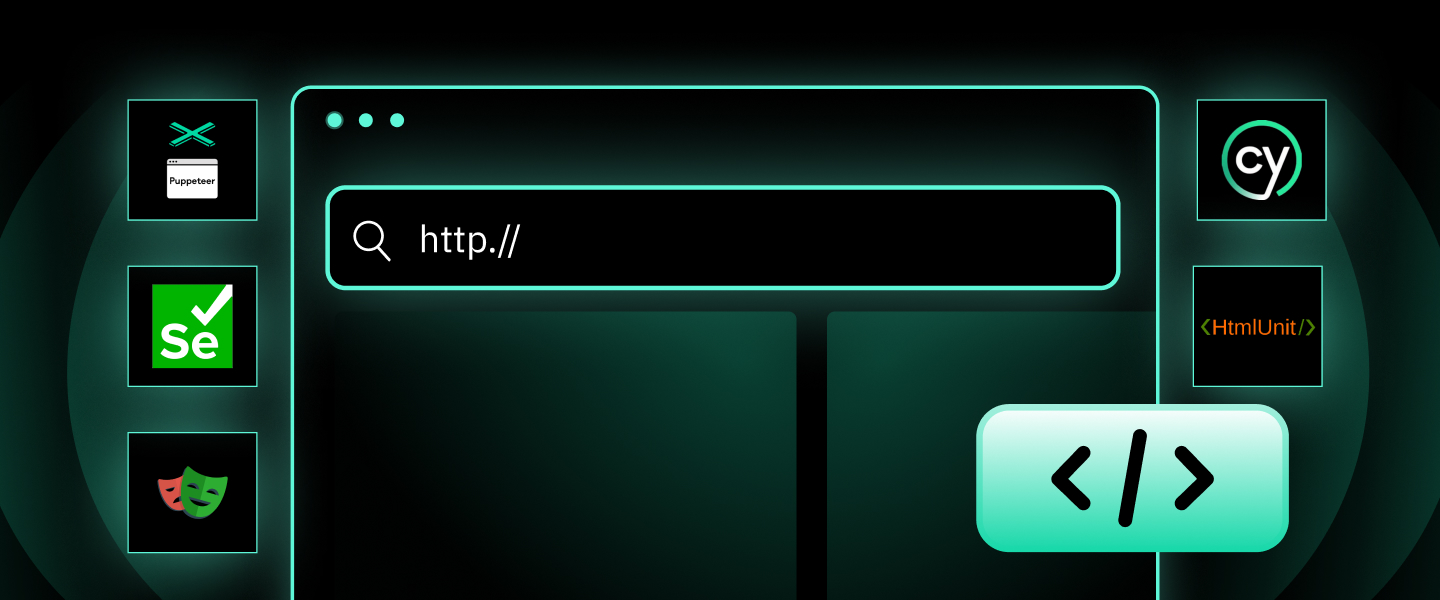
What is a Headless Browser? Top 5 Popular Tools
A headless browser is a browse ...
Yulia Taylor
2026-02-07

Best Anti-Detection Browser in 2026
This article mainly introduces ...
Xyla Huxley
2026-02-06
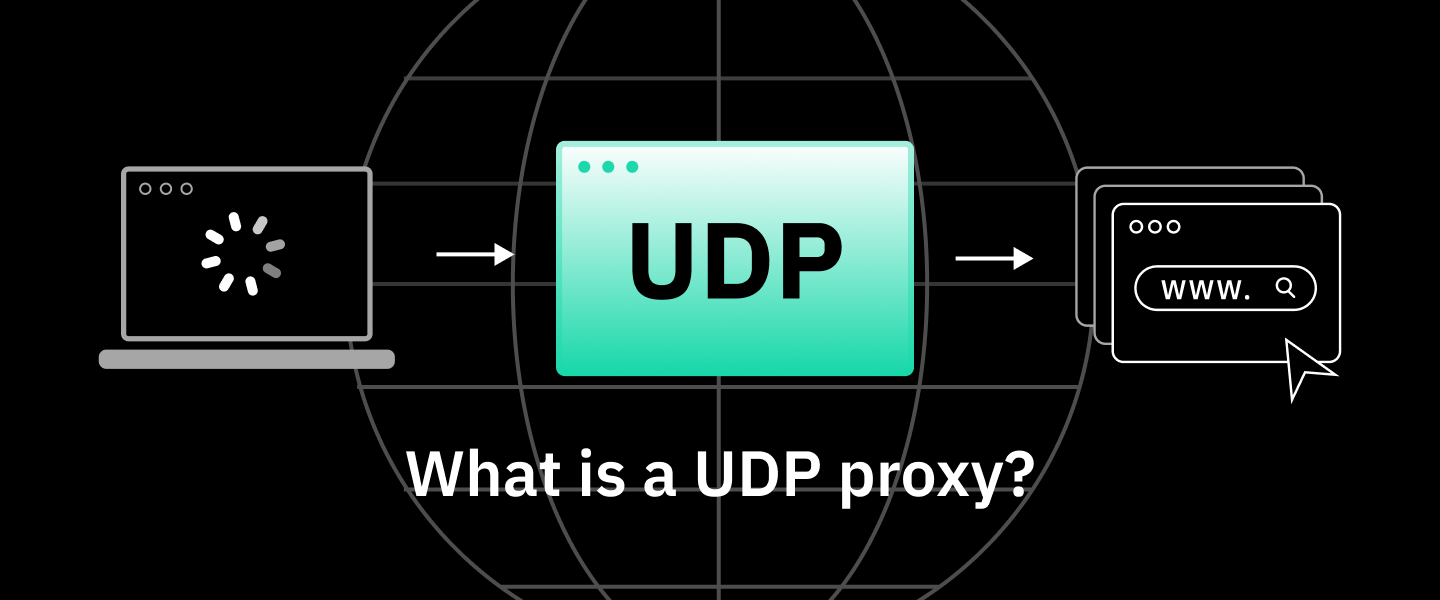
What Is a UDP Proxy? Use Cases and Limits
This article primarily explain ...
Xyla Huxley
2026-02-06
